Inspection
and verification,
built for field
and office teams

TruScope gives inspectors, IORs, and QA/QC teams confidence in every inspection by enabling them to inspect against approved drawings, capture evidence in context, and maintain audit-ready records – without extra reporting or manual coordination.
No credit card required, 30-day free trial

Why teams choose TruScope
for Field Inspections

Trusted by construction teams on healthcare, data center, commercial, and industrial, and multi-unit residential projects.

98%

Accuracy Rate

5x

Faster Inspections

100%

Compliance Ready

CORE FEATURES

What’s in TruScope?

Mobile app included
on iPad and iPhone.
Available on Apple App Store.

Mobile app included
on iPad and iPhone.
Available on Apple App Store.

For Your Team

For Inspectors

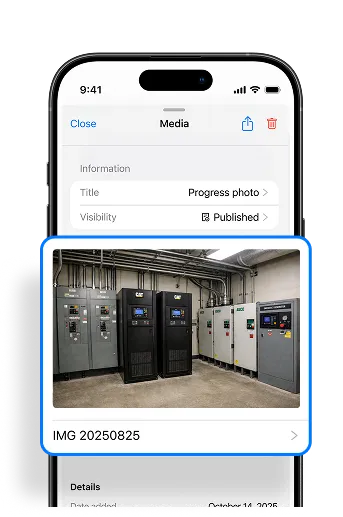
Scan a QR code. Work through a structured checklist. Capture photo evidence tied to the exact location. In and out with a complete record that holds up.

For QA/QC Teams

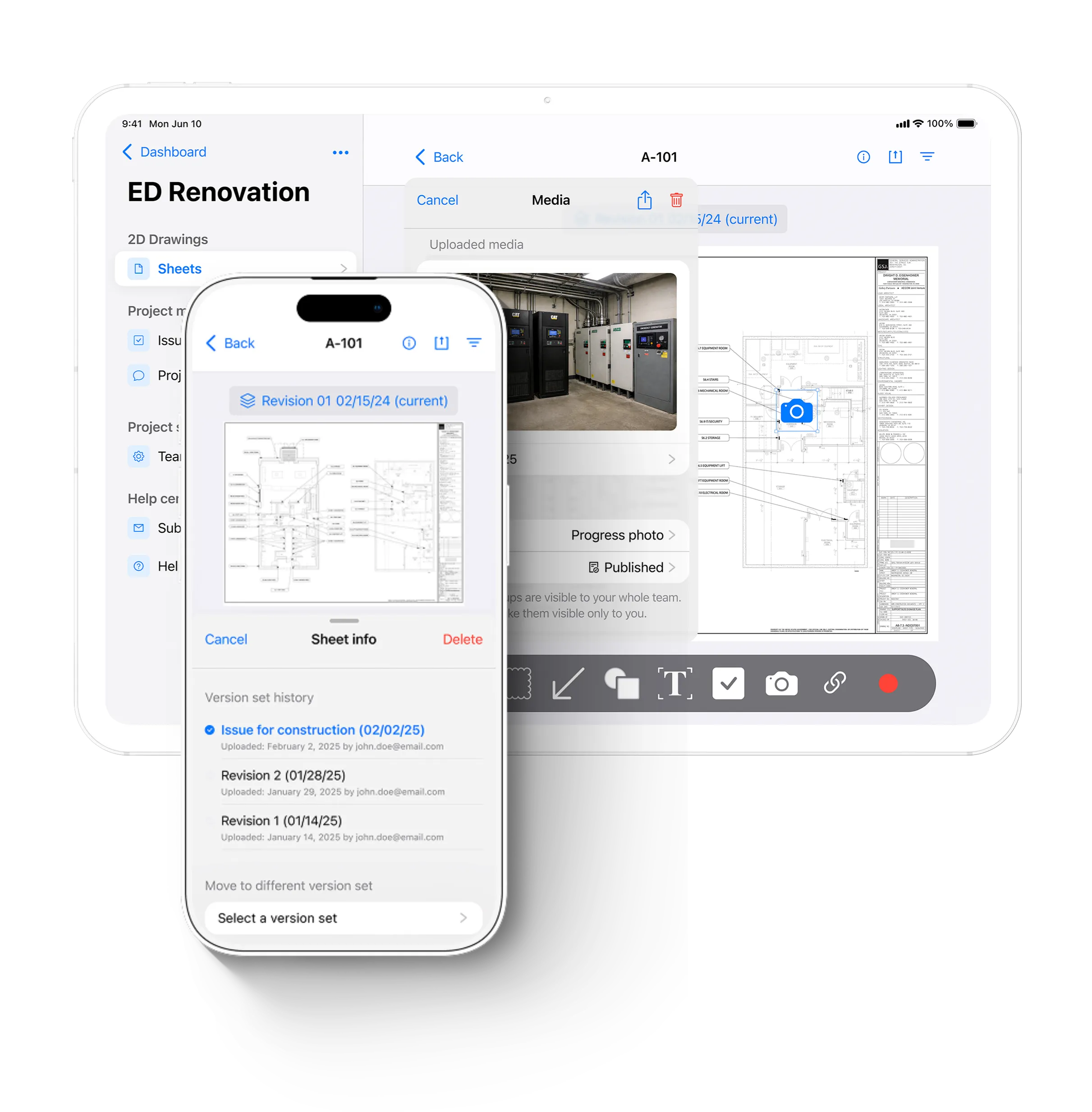
Issues pinned to the drawing. Status visible across every trade. Reports generated in one click. And built-in chat so nothing gets lost in a text thread.

For Compliance

A timestamped chain of custody for every inspection, on every drawing, from first walk to final signature. Ready for an audit without any scramble.

For Project Managers

A live dashboard of open issues, inspection progress, and closeout readiness. Know what needs attention without waiting for a status update.

For BIM Engineers

Connect your model to the field. Sheet linking with anchors, AR overlay at full scale, and current drawings that match what was issued today. The bridge between digital model and physical inspection.

For Your Team

WORKFLOW

How TruScope fits
into your inspection workflow

TruScope is designed to fit into how inspections already happen
— without forcing teams to change tools or processes overnight.

*This workflow reduces follow-up, shortens review cycles, and removes the need to reconstruct inspection history later.

Before the inspection

Before the inspection

Set up your project

Approved drawings are uploaded, slip-sheeted, and assigned QR codes so inspectors know exactly where to start.

During the inspection

During the inspection

Document in the field

Inspectors scan a QR code or open the drawing on mobile, capture photos and notes directly on the plan, and move through the site without stopping to document separately.

After the inspection

After the inspection

Review without chasing

Inspection records are already complete. Office, QA/QC, and compliance teams can review evidence in context without chasing photos, notes, or explanations.

Before the inspection

Before the inspection

Set up your project

Approved drawings are uploaded, slip-sheeted, and assigned QR codes so inspectors know exactly where to start.

During the inspection

During the inspection

Document in the field

Inspectors scan a QR code or open the drawing on mobile, capture photos and notes directly on the plan, and move through the site without stopping to document separately.

After the inspection

After the inspection

Review without chasing

Inspection records are already complete. Office, QA/QC, and compliance teams can review evidence in context without chasing photos, notes, or explanations.

← Scroll / Swipe →

*This workflow reduces follow-up, shortens review cycles, and removes the need to reconstruct inspection history later.

Add-On

Take it further with AR.
Walk the model on site, at full scale.

Tabletop Models

Place your building model on any surface in a scaled-down view. Useful for pre-walk coordination, clash detection, and design review on site.

Full Scale 1:1

Walk the space with the AR model overlaid at full scale. See exactly what should be where before the walls go up.

Works with the tools
your team already uses.

TruScope integrates with Autodesk Construction Cloud for seamless drawing imports. The mobile app is available on iPad and iPhone, and is available now on the Apple App Store.

CASE STUDIES

FAQ

Your Questions. Answered.

Contact us if you have any other questions.

TruScope is construction inspection and verification software built for field and office teams. It gives inspectors, IORs, and QA/QC teams confidence in every inspection by enabling them to inspect approved drawings, capture evidence in context, and maintain audit-ready records, without extra reporting or manual coordination. Available on iPad and iPhone via the Apple App Store.

Yes. The TruScope mobile app is included on iPad and iPhone, available on the Apple App Store. No additional cost, no special hardware required.

When a new revision comes in, you upload it to TruScope and the old sheet is automatically replaced across every device, for every user on the project. No chasing down who has the old version. No manual redistribution. The revision history is preserved so you can always compare current against prior.

When you upload new drawings, TruScope auto-matches and replaces the right sheets, with a verification step before the update goes live. It catches misfiled or mismatched sheets before they reach the field. You do less manual work and get more confidence that the right revision is in everyone’s hands.

Yes. TruScope caches your drawings and project data so you can work without a connection. View plans, capture photos, add markups, and log inspection records. Everything syncs when you’re back on the network. No lost work, no re-entry required.

Most construction apps are built around project management or general document control. TruScope is purpose-built for field inspection, starting with the drawing. Issues get pinned to the exact location where the problem was found. Built-in chat keeps conversation tied to the project, not scattered across texts and email threads. And revised drawings replace old ones automatically, so there’s no manual version management. The result is a shorter path from field observation to a clean closeout record.

Simple pricing
that scales

TruScope Feature

Unlimited projects

TruScope Feature

No long-term contracts

TruScope Feature

Enterprise pilots available

$99

user/month

after the 30-day free trial

Trusted inspection workflows start here

Unlimited users, Invite your whole team.

No credit card required, 30-day free trial.

If inspections are critical to your project, the workflow should be built for them.

TruScope gives inspection teams a clearer, more reliable way to inspect, document, and review work.

BLOG

Latest from TruScope